Minion AI Voice Generator & Text to Speech
Turn any script into playful Minion-style speech online. Type your text, generate the voice, preview it, and download the audio for videos, memes, and fan projects.

Free Minion Text to Speech Online
Create custom Minion-style speech from the text you enter. Generate playful gibberish, short reactions, or complete lines directly in your browser, preview the result, and download the finished audio for clearly labeled fan and creative projects.
- Tool
- Online Minion-style text to speech with custom text input
- Output
- Instant audio preview with downloadable MP3
- Access
- Free basic voice generation with optional premium usage
- Best for
- Memes, fan videos, playful dialogue, and animation projects
Related Voices
Explore these cartoon character voices for fun and entertainment
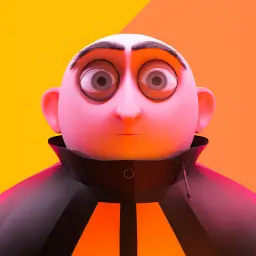
Gru
Hello there! I am Gru, and these are my beloved Minions. We may be in the business of villainy, but we always stick together as a family. Now, let's get to work!
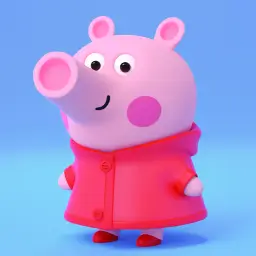
Peppa Pig
Hello! I'm Peppa Pig! This is my little brother George. We love jumping in muddy puddles and having fun adventures together!
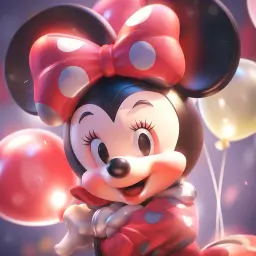
Minnie Mouse
Oh, Mickey! Isn't this just wonderful? We're going to have such a magical time together! Tee-hee!
Tips for Minion-Style Dialogue
Short, expressive lines and playful sounds usually produce the most convincing result.
- 1
Keep the Script Short
Use brief sentences or reactions so the energetic delivery remains clear and easy to understand.
Bello! Are we ready for banana time? - 2
Mix Words with Playful Gibberish
Add familiar Minion-style sounds sparingly instead of filling the entire script with random syllables.
Banana! Poopaye! Let's go, amigos! - 3
Use Punctuation for Energy
Exclamation marks, commas, and short pauses help shape excited reactions and comedic timing.
Wait... banana? Bananaaaa!
How to Make a Minion Voice from Text
Type your script, generate Minion-style speech, and download the audio
Enter Your Text
Type or paste the words you want the Minion-style voice to say. Short dialogue, funny reactions, and clear punctuation usually work best.
Generate and Preview
Click Generate Minion Voice to turn your text into speech, then listen in your browser and adjust the wording or punctuation if needed.
Download the MP3
Download the generated audio as an MP3 for memes, videos, animation projects, and clearly labeled fan content.
Key Features
Platform features available for all voices
Minion-Style Text to Speech
Convert your own text into playful Minion-style speech without recording or uploading a voice sample.
Custom Scripts
Create short reactions, gibberish phrases, comedic dialogue, and narration instead of relying on fixed soundboard clips.
Instant Browser Preview
Generate and preview the result directly in your browser before deciding whether to download the audio.
Downloadable MP3 Audio
Save generated clips as MP3 files for editing into videos, memes, fan animations, and other creative projects.
Free to Try Online
Try basic Minion-style voice generation online, with optional premium plans available for extended usage.
Text to Speech, Not Live Voice Changing
This tool creates new speech from typed text. It does not transform a live microphone feed or an existing voice recording.
Frequently Asked Questions
- Can I use the Minion voice generator for free?
- Yes. You can try basic Minion-style text to speech for free. Optional premium plans are available for extended usage.
- How do I convert text into a Minion-style voice?
- Enter your own text, click Generate Minion Voice, and preview the result in your browser. Short sentences, playful reactions, and clear punctuation usually produce the best output.
- Can I download the generated Minion audio as an MP3?
- Yes. After generating and previewing the speech, you can download the audio as an MP3 for memes, videos, animation projects, and clearly labeled fan content.
- Is this a Minion voice changer, voice clone, or text-to-speech tool?
- This page is a text-to-speech voice generator: it turns the text you enter into new Minion-style audio. It does not change a live microphone recording or transform an existing audio file. For user-authorized voice cloning, use the separate AI voice cloning tool.
- Does the generator support Minion-style gibberish?
- Yes. You can mix regular words with short playful sounds such as Bello, Banana, or Poopaye. Use gibberish sparingly and add punctuation to keep the result expressive and understandable.
- Is this an official Despicable Me or Minions voice generator?
- No. NiceVoice is an independent, style-inspired AI voice tool and is not affiliated with, endorsed by, licensed by, or officially connected to Illumination, Universal Pictures, the Despicable Me franchise, or any other rights holder.